
My role
I led the design of Drupal Canvas, but I didn't start it. When I joined, engineering had already chosen the tech, including Radix for components, and earlier designers had produced a first UI. I designed the whole design system, then redesigned the entire UI so it held together as one product, rethinking its foundations along the way: the shell, the panels and how every feature flows. I also designed the new features and reviewed the UI engineering shipped.
What I owned
6The whole Figma design system, built on Radix to match the codebase, with usage rules for components, icons, colour and type
A ground-up redesign of the entire UI, so every part of Canvas works the same way, with new components where the old ones didn't fit
The product shell: the panels and top bar, and how they expand with what you're doing
User flows and designs for every feature, both the redesigned ones and the new ones
Design review of the UI engineering built
Leading the three junior designers who joined under me, and reviewing their features so Canvas stayed cohesive
What I shared
2Interaction details, worked out with the engineers building them
Requirements, which I often worked out with product before there was anything to design
What others did
3Engineering built and shipped Canvas, and chose the tech stack
Earlier designers created the first UI, which I pulled into the design system before redesigning it
The junior designers on my team designed individual features, such as asymmetric translations
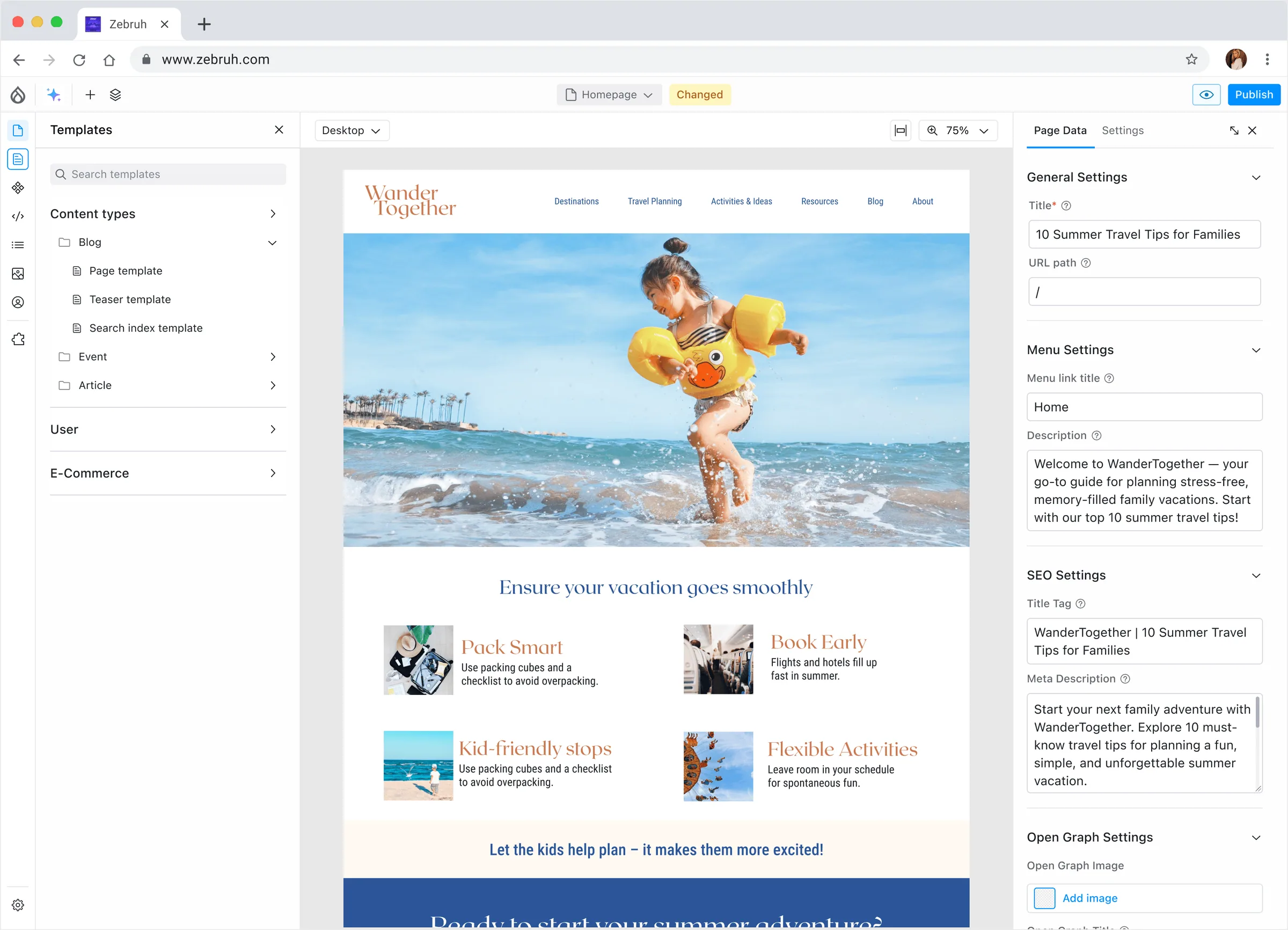
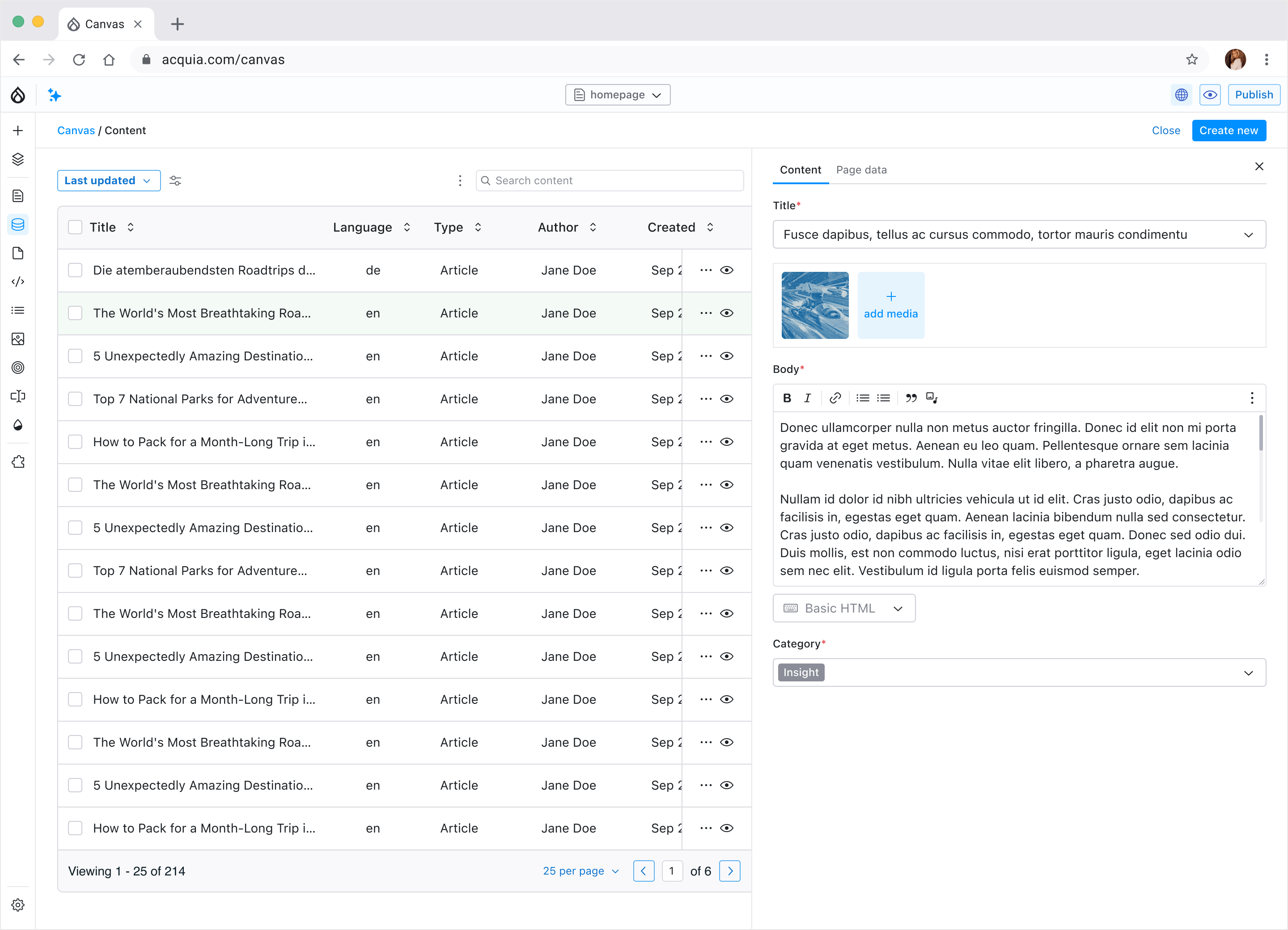
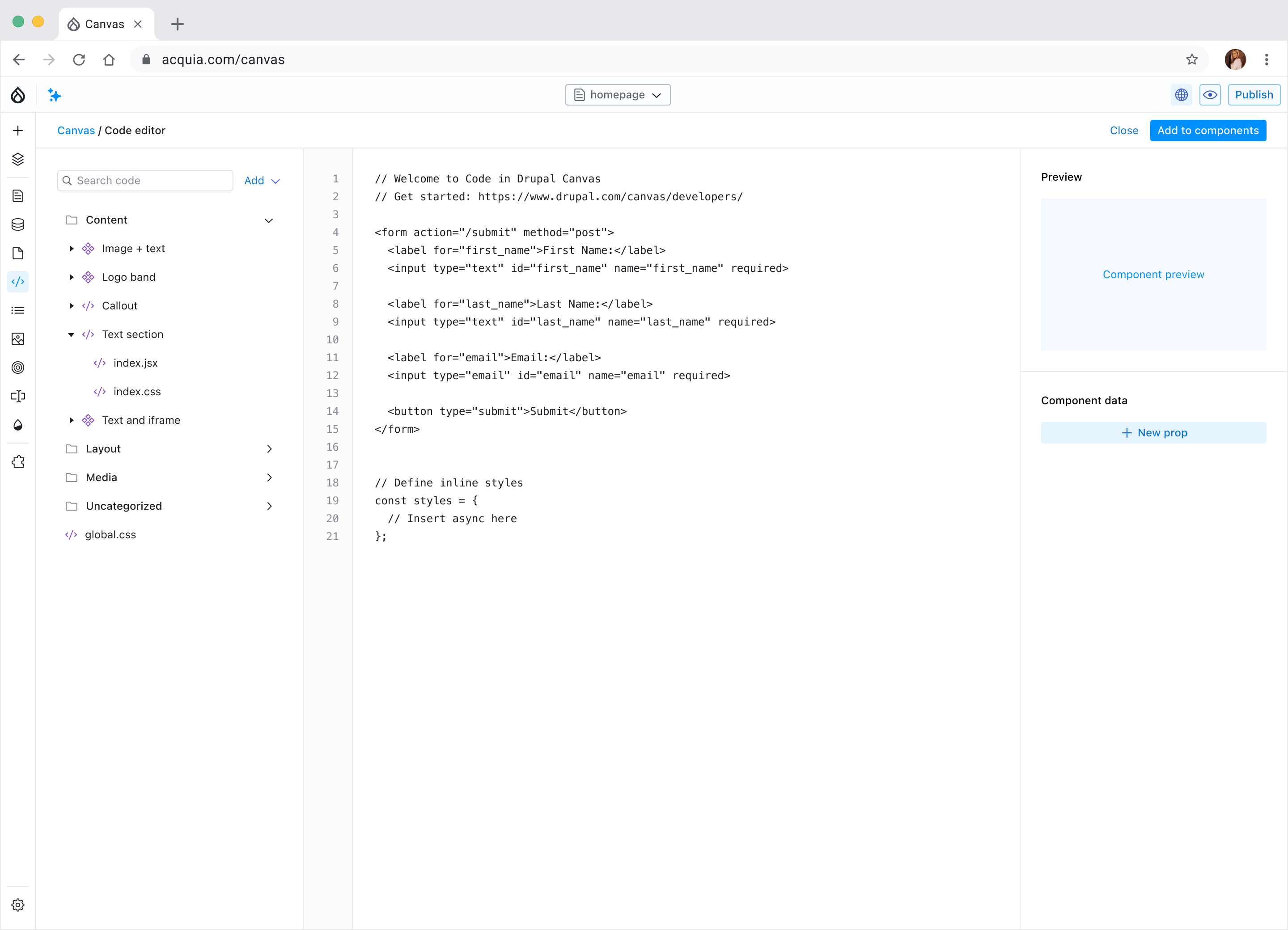
Canvas as it is now: the page editor, the content list and the code editor. I designed all three, and the Canvas engineers built them.
The problem
Drupal is one of the most powerful content management systems around, and it has a long reputation for being hard to use. Editing content was clunky and building sites was worse. That hurt the people using it, and it hurt Drupal as a platform.
Canvas had to make building and editing pages approachable without losing the power and flexibility that Drupal's users rely on.
How I got involved
I was brought in as a front-end engineer. The project was moving quickly, and nobody had pulled the design work into a system yet, which made the UI hard to build consistently. So I started doing it: auditing the existing designs, consolidating them into components and organising everything into an atomic design system.
That work is how I was offered the Senior Product Designer role at Acquia. From there I led the design of Canvas: a redesign of the entire UI, a rethink of the product shell and how every feature flows, new features, and a lot of time with engineers on how things should behave.
Building the design system
The codebase used Radix as its component library, so the design system had to reflect Radix exactly. I started from Radix's own design file for the basic elements, then removed every option we weren't going to use. With those gone, a designer on the team couldn't make an incorrect UI any more.
Over time I redesigned many of the components to suit Canvas users better, and wrote rules for how to use each one. There are usage guides for icons, colour and type too, so every part of Canvas feels like the same product.
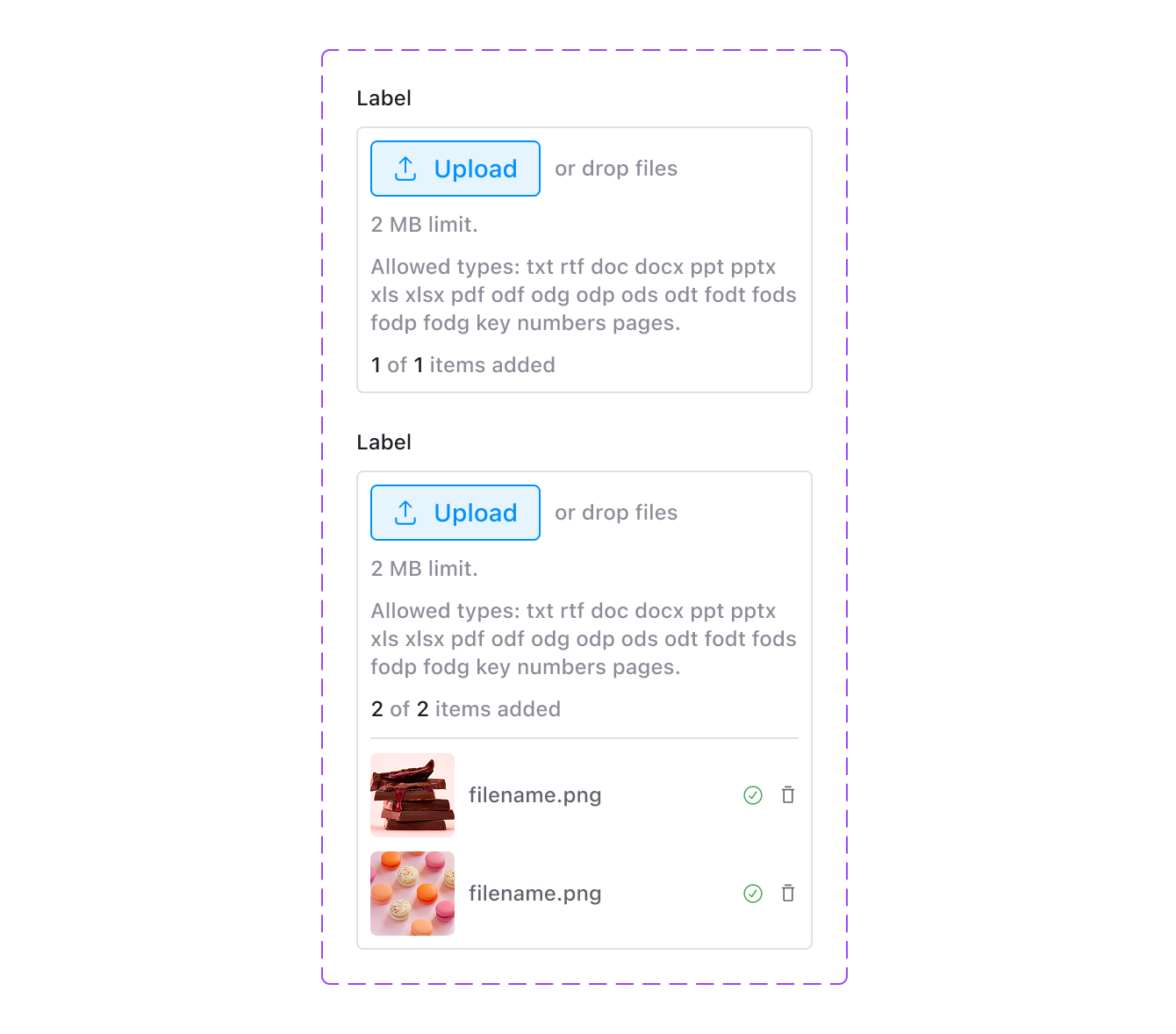
One of the redesigned fields: file upload, empty and with files added.
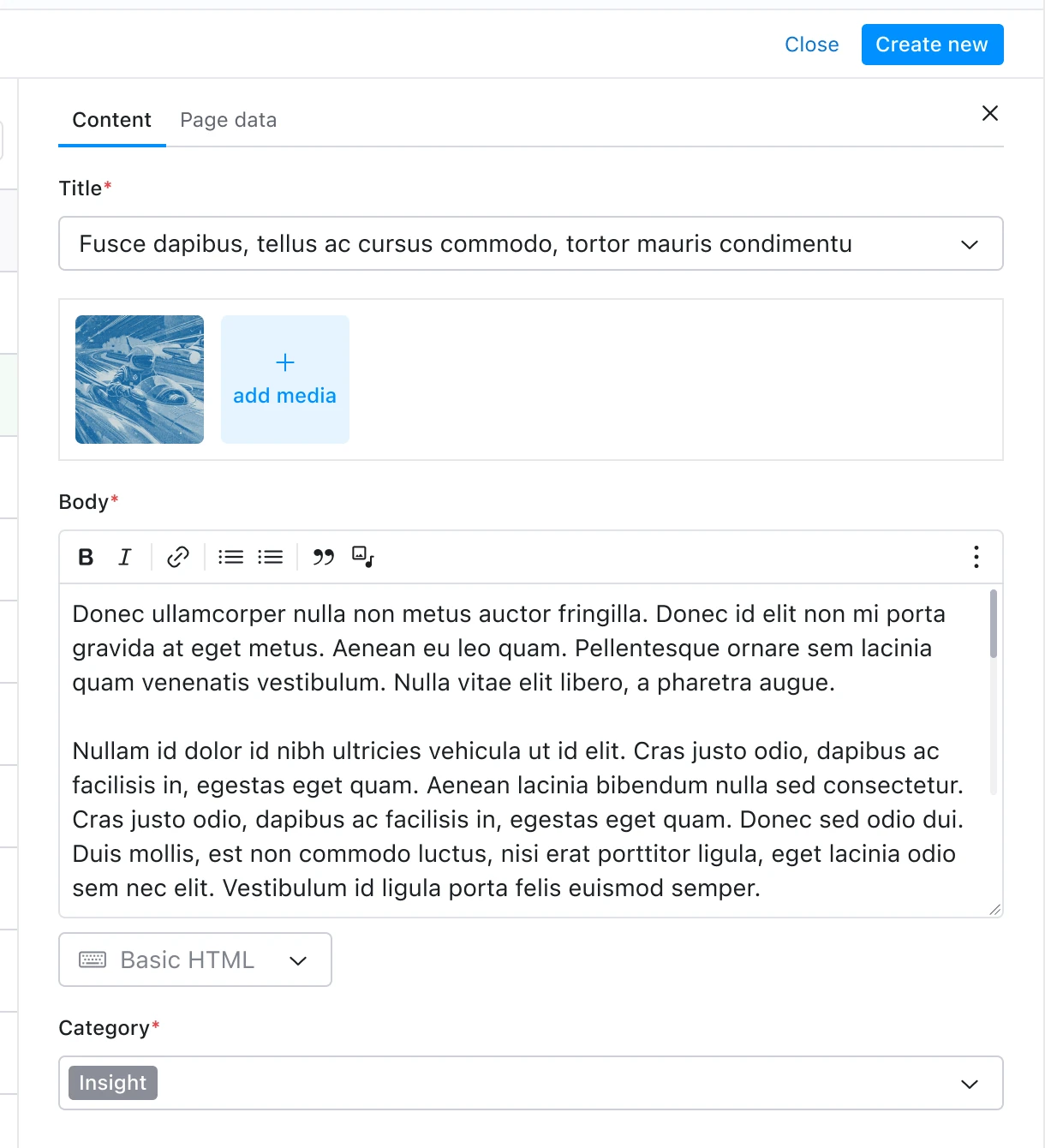
The same fields in use, editing an article.
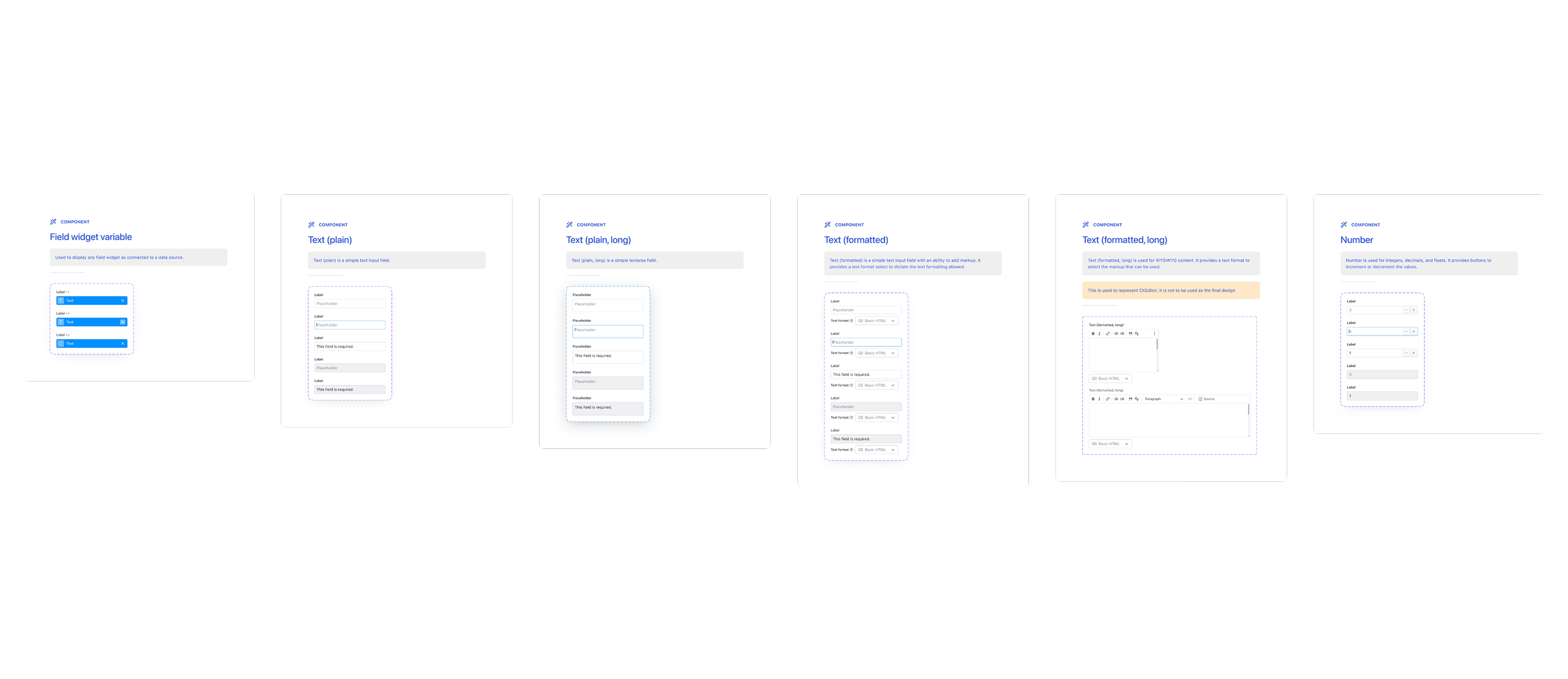
Form fields, each documented with its states and a line on when to use it.
Structuring the shell
The shell is the frame around everything in Canvas: panels, top bar, and how they respond to what you're doing. It had to work as the site building and editing interface today, and leave room for features we hadn't designed yet.
I kept it as small as possible, expanding only when a task needs more. Adding something to a page or editing what's already there brings up options for that part of the UI. A lot of the work was solving problems we didn't have yet, so new features would slot in without a redesign.
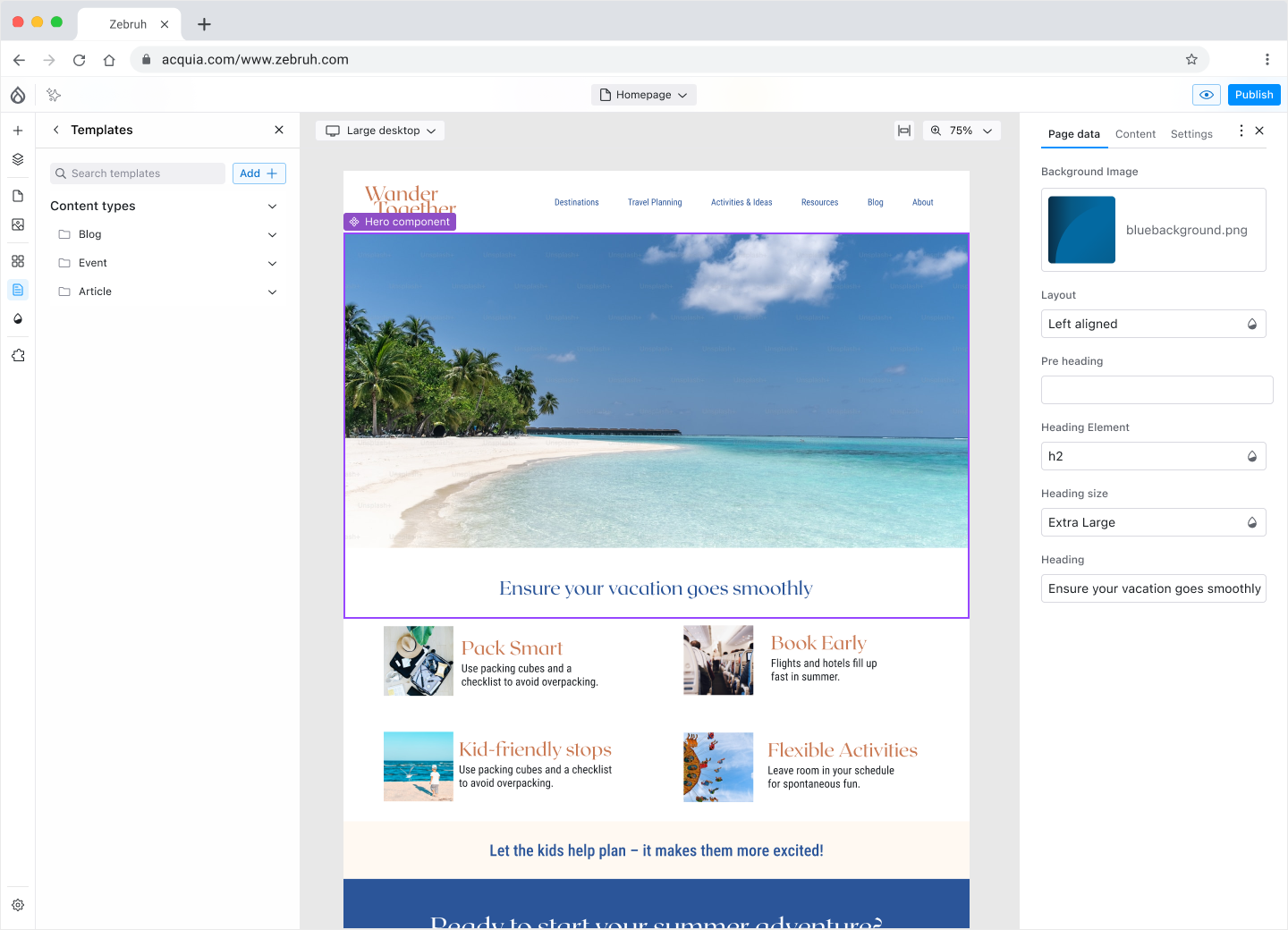
Select something on the page and its settings open beside it. Nothing else changes until you need it.
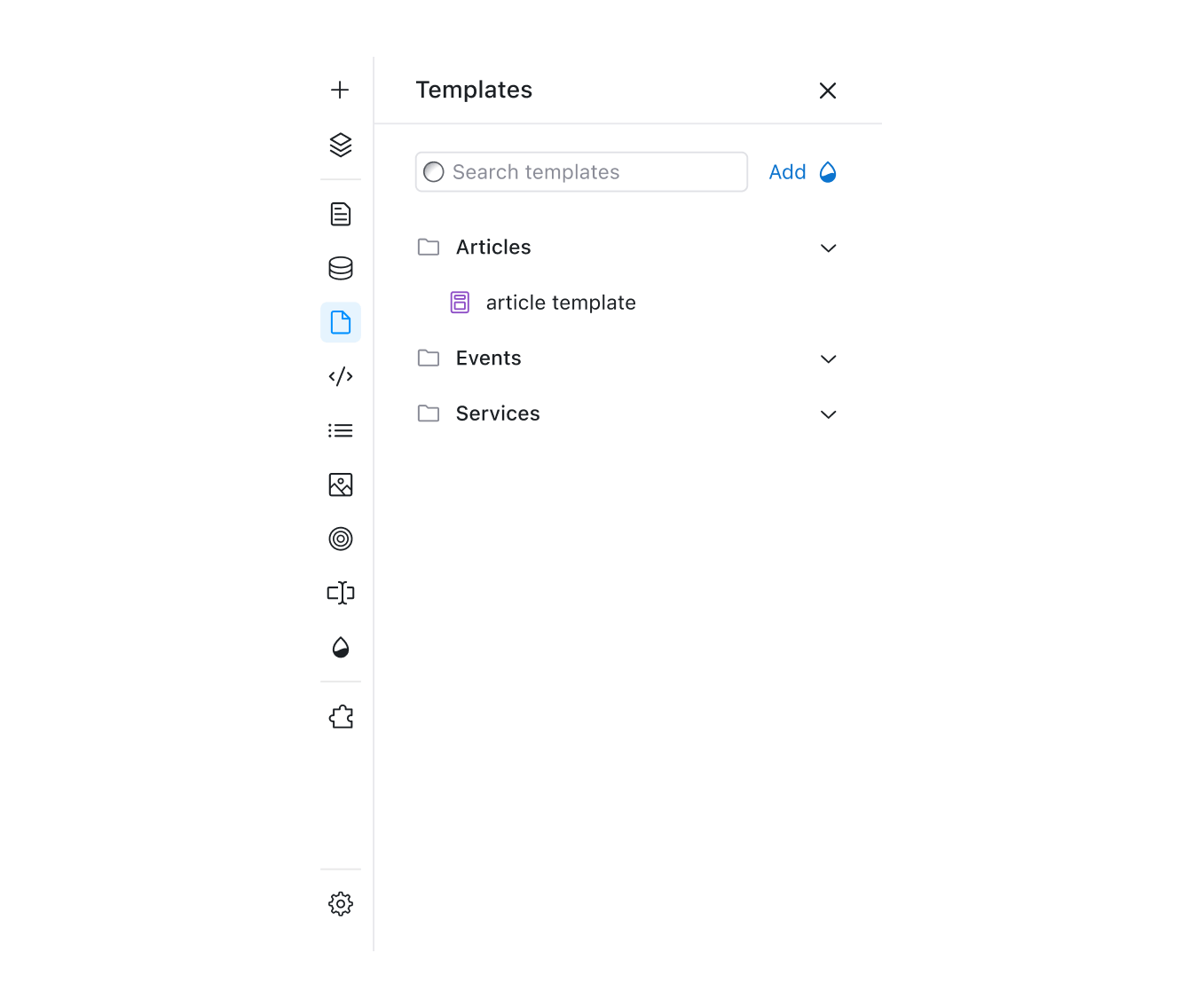
Every panel behaves the same way. It never takes you away from the page at the top level. It only navigates once you've picked something.
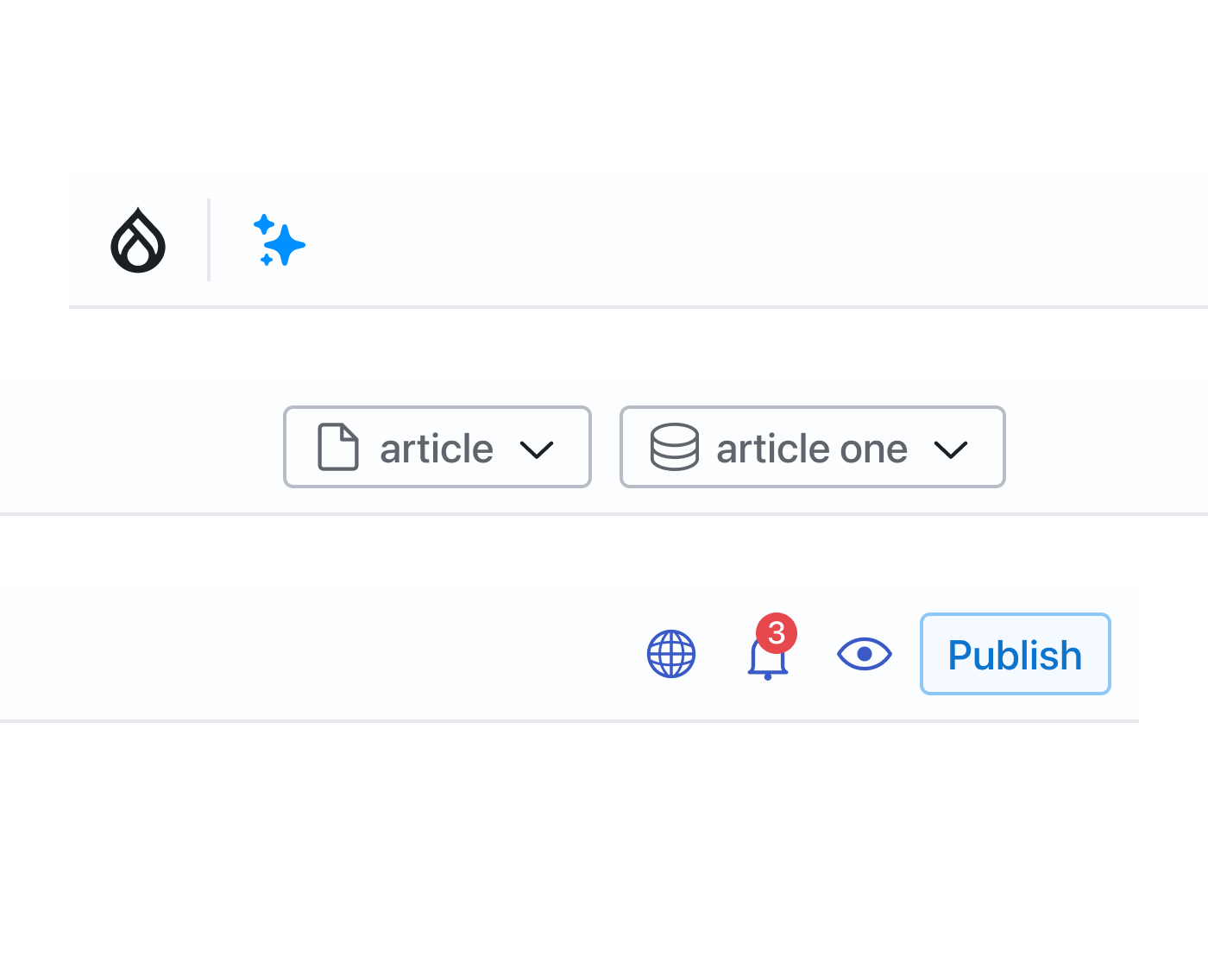
The top bar lets you exit Canvas, switch the content you're previewing, and run page or global actions in one click.
Designing new features
I redesigned every existing feature and designed the new ones from scratch, from the templates panel to the content list and the code editor. Each one started as a detailed user flow. Canvas workflows can get complicated, and the flows let engineers see how I'd turned them into something simple before anyone built anything.
Over the year, three junior designers joined the team under me. Each took on individual features, such as asymmetric translations, and I reviewed what they designed to make sure it fitted the rest of Canvas and made sense to the people using it.
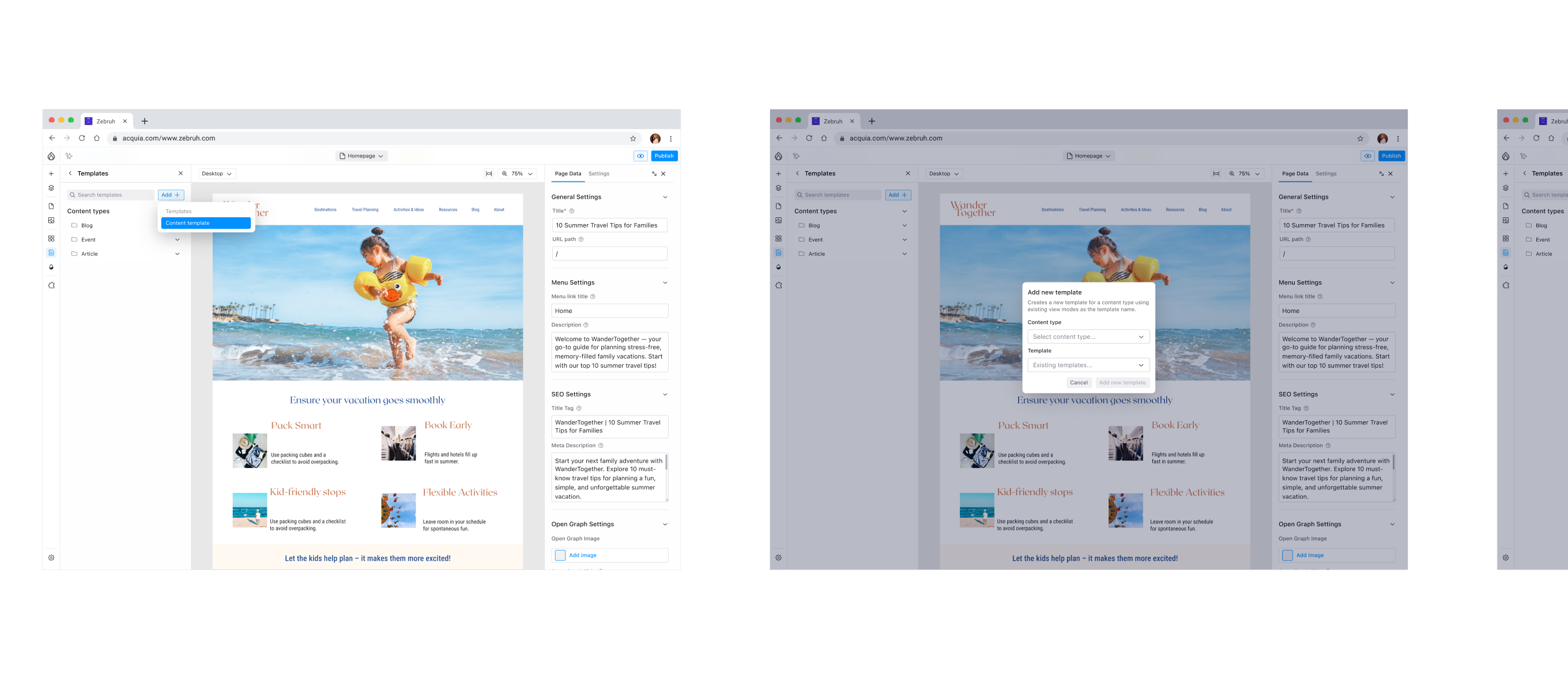
Adding a content template, screen by screen.
Results
Canvas 1.0 was released on 4 December 2025. Three and a half months later it was on over 4,500 sites. In drupal.org's usage count for the week of 20 September 2026 it was on 13,604, and it hasn't dropped below 7,000 in any week since mid-June.
Sites using Drupal Canvas each week
| Week starting | Sites |
|---|---|
| 31 August 2025 | 93 |
| 7 September 2025 | 285 |
| 14 September 2025 | 267 |
| 21 September 2025 | 345 |
| 28 September 2025 | 351 |
| 5 October 2025 | 541 |
| 12 October 2025 | 710 |
| 19 October 2025 | 768 |
| 26 October 2025 | 729 |
| 2 November 2025 | 657 |
| 9 November 2025 | 780 |
| 16 November 2025 | 1,006 |
| 23 November 2025 | 742 |
| 30 November 2025 | 1,110 |
| 7 December 2025 | 1,172 |
| 14 December 2025 | 1,341 |
| 21 December 2025 | 783 |
| 28 December 2025 | 753 |
| 4 January 2026 | 1,238 |
| 11 January 2026 | 1,495 |
| 18 January 2026 | 1,895 |
| 25 January 2026 | 3,004 |
| 1 February 2026 | 3,319 |
| 8 February 2026 | 3,253 |
| 15 February 2026 | 3,503 |
| 22 February 2026 | 3,688 |
| 8 March 2026 | 4,416 |
| 15 March 2026 | 4,543 |
| 22 March 2026 | 4,770 |
| 29 March 2026 | 4,283 |
| 5 April 2026 | 4,174 |
| 12 April 2026 | 4,780 |
| 19 April 2026 | 5,055 |
| 26 April 2026 | 4,478 |
| 3 May 2026 | 4,328 |
| 10 May 2026 | 4,428 |
| 17 May 2026 | 5,503 |
| 24 May 2026 | 4,846 |
| 31 May 2026 | 5,748 |
| 7 June 2026 | 6,981 |
| 14 June 2026 | 8,130 |
| 21 June 2026 | 7,677 |
| 28 June 2026 | 9,213 |
| 5 July 2026 | 10,515 |
| 12 July 2026 | 8,549 |
| 19 July 2026 | 8,989 |
| 26 July 2026 | 7,573 |
| 2 August 2026 | 7,010 |
| 9 August 2026 | 8,211 |
| 16 August 2026 | 7,571 |
| 23 August 2026 | 8,836 |
| 30 August 2026 | 7,374 |
| 6 September 2026 | 8,315 |
| 13 September 2026 | 9,674 |
| 20 September 2026 | 13,604 |